How to start posting through Telepost?
1. Create new bot and connect it to Telepost
We prepared detailed instructions, where your can find how to do that.
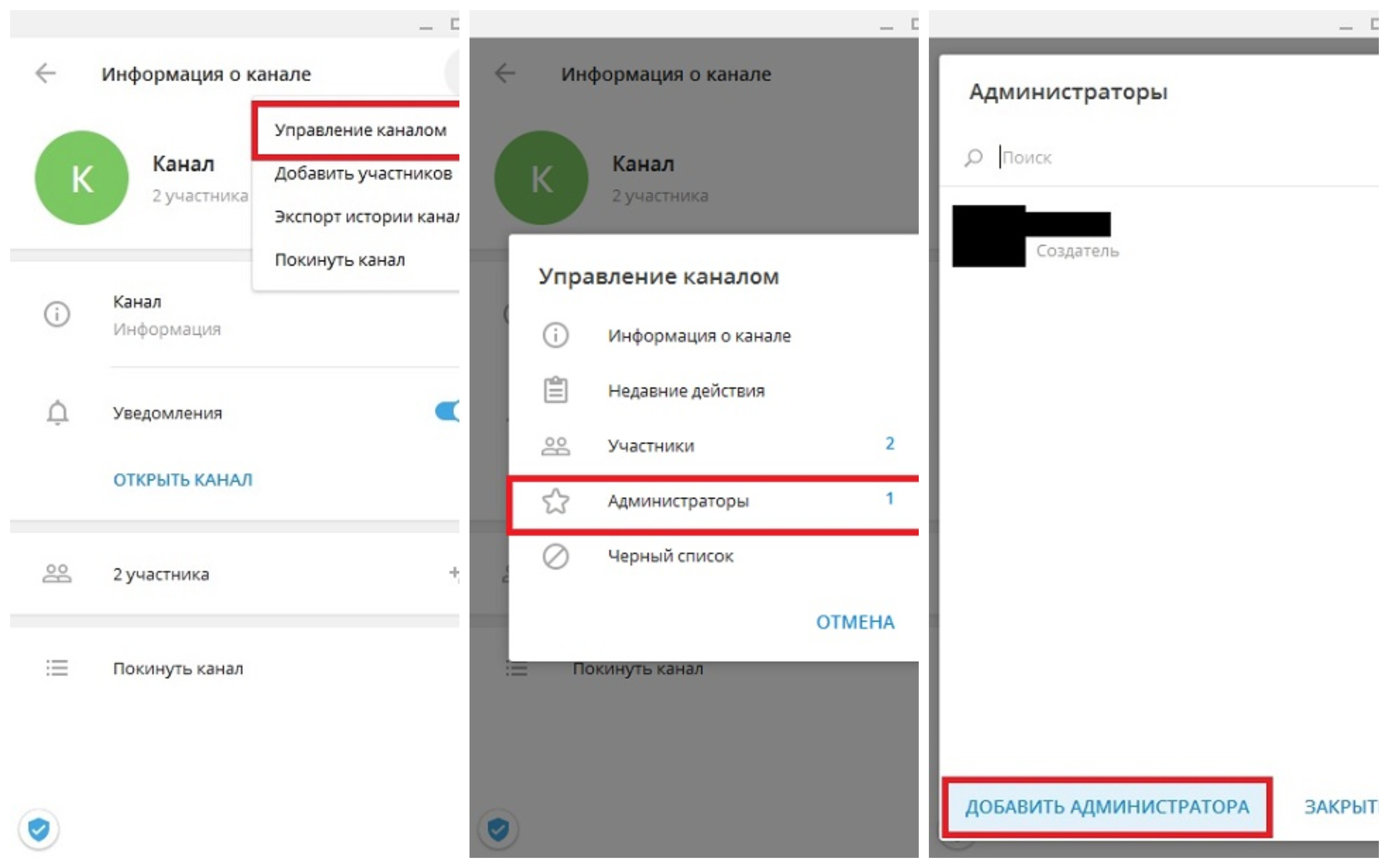
2. Add your bot to Administrators of channel
Click on channel's name, go to "Channel Settings", then open "Administrators" and add bot, created at step #1:
3. Change channel bot in Telepost settings
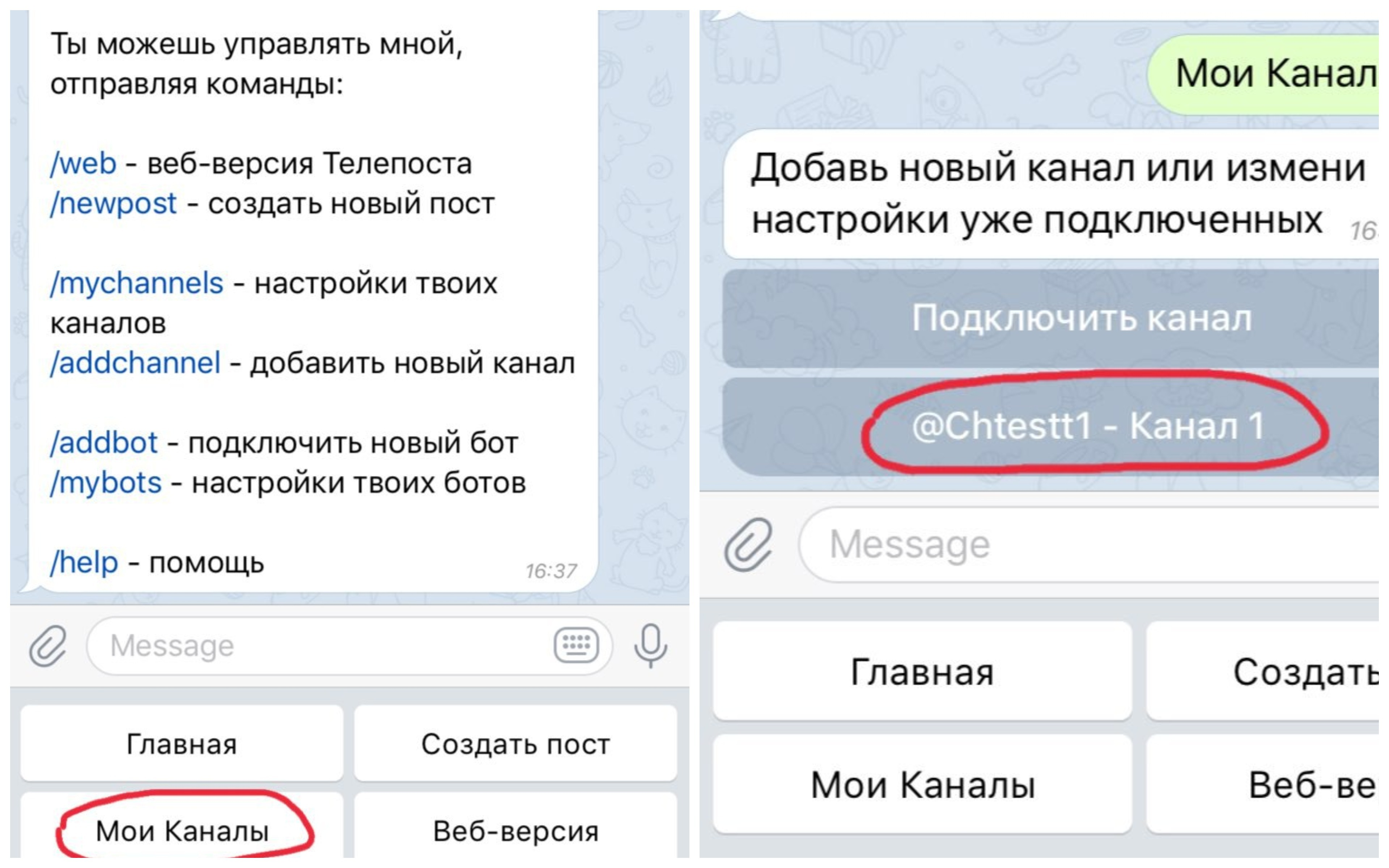
Open "My channels", then select in list needed channel, see screenshot:
Click on "Change bot", select bot created at step #1 and connect it to Telepost (step #2):
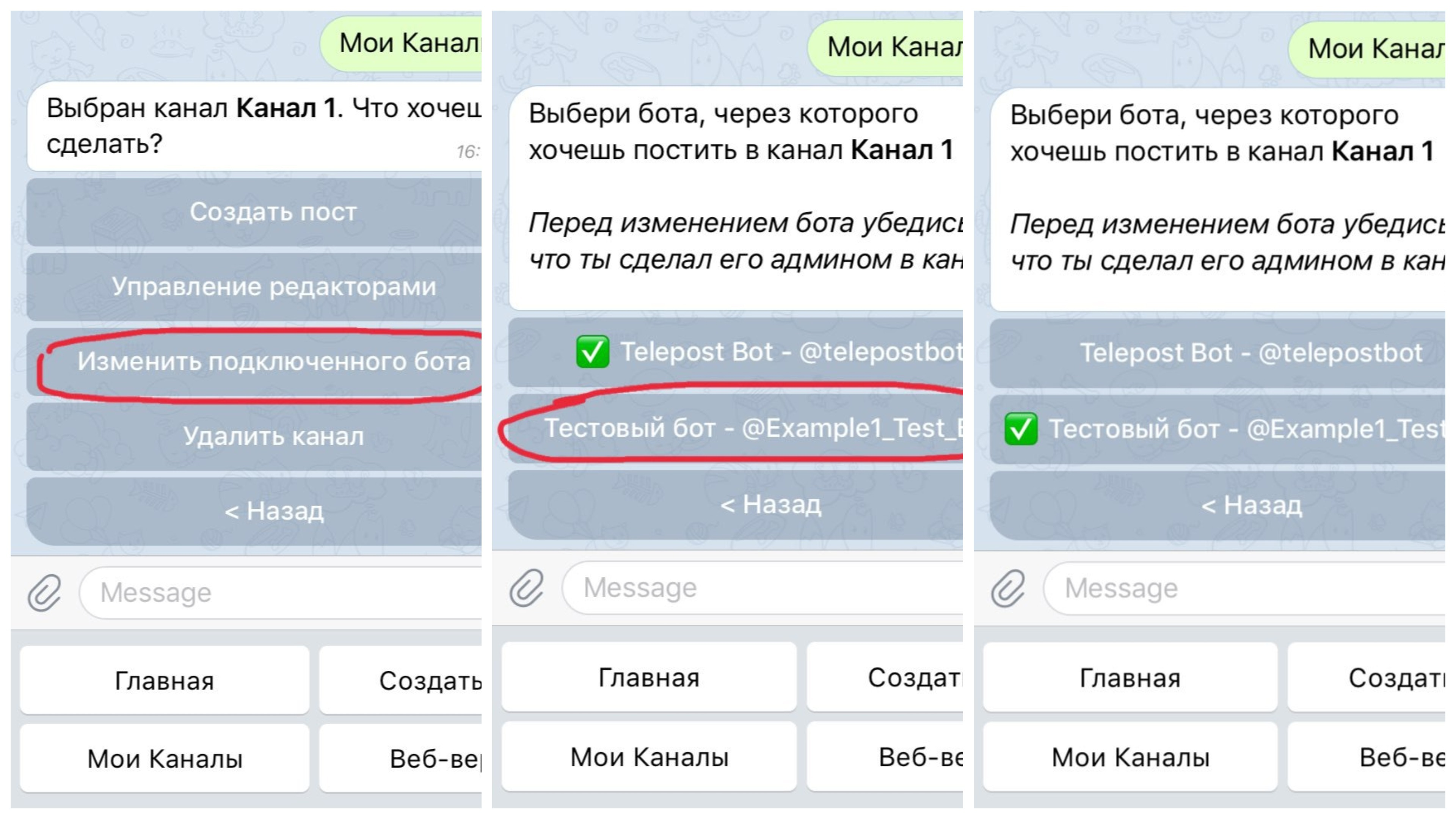
Done! Now your can posting through @TelepostBot.
Also we prepared instructions how to connect your channel. If your have questions, feel free to send message to our support — @TelepostSupport.